


Table of Contents
WordPress Maintenance for London, Ontario Businesses
Your website is an important business asset, and ongoing wordpress maintenance helps keep it updated, secure, backed up, and functioning properly as WordPress itself, plugins, themes, hosting environments, and browser technologies continue to change.
Innovative Global Vision provides professional wordpress maintenance for businesses throughout London and Southwestern Ontario from our office at 341 Talbot Street, Suite 319 in London, Ontario.
Our managed wordpress maintenance approach combines proactive updates, security monitoring, backups, performance optimization, hosting, and dependable support so business owners do not have to manage the technical side of their websites themselves.
For many organizations, managed website care is most valuable because it provides ongoing oversight instead of waiting until a website problem becomes obvious to customers or staff.
Learn more about our London website design and digital marketing services .
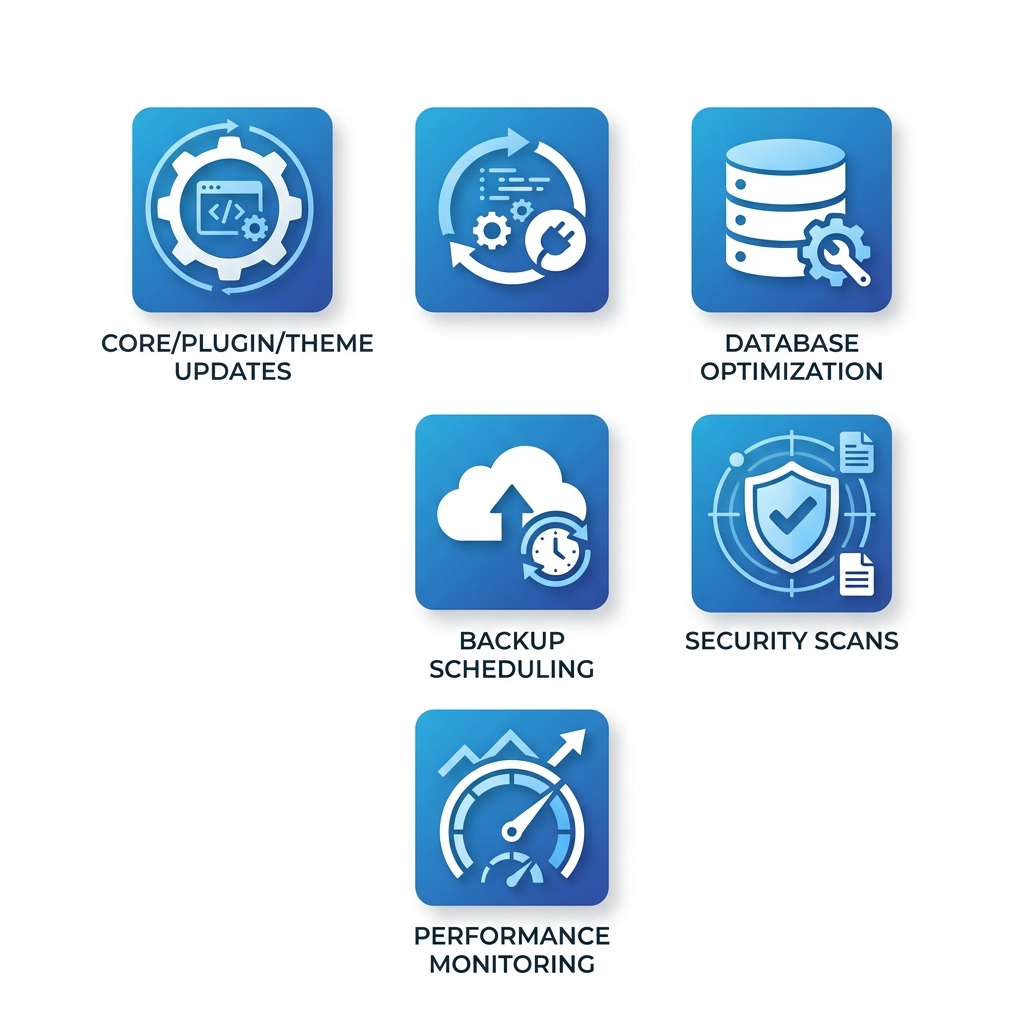
Core website-care tasks include software updates, backups, security monitoring, and performance checks.
Why WordPress Maintenance Matters
WordPress websites are built from multiple moving parts. The WordPress core platform, themes, plugins, forms, integrations, hosting, and server software may all receive updates independently. Regular wordpress maintenance helps keep those components working together.
Without consistent ongoing care, outdated software, compatibility problems, broken functionality, security vulnerabilities, and performance issues can accumulate over time.
Professional wordpress maintenance is not about promising that nothing will ever go wrong. It is about reducing avoidable risk, identifying problems earlier, and having a process for recovery when issues occur.
For a business that relies on its website for leads, sales, customer communication, or online transactions, managed website care can help protect the investment already made in design, development, content, and digital marketing.
What WordPress Maintenance Includes
Effective wordpress maintenance involves more than clicking an update button once in a while. A properly managed website needs ongoing attention to software, security, backups, performance, hosting, and technical functionality.
Depending on the website and service plan, ongoing care can include:
- WordPress core updates
- Plugin updates
- Theme updates
- Daily cloud backups
- Security monitoring
- Malware scanning
- Uptime monitoring
- Performance monitoring
- Compatibility checks
- Broken-link monitoring
- Technical troubleshooting
- Routine website edits and support
The right level of website care depends on how complex the website is, how often it changes, how important it is to the business, and how much technical support the organization needs.
IGV's current managed wordpress maintenance offering also includes secure hosting, SSL, ongoing updates, security monitoring, backups, and access to technical support.
Updates, Security & Backups
Managing WordPress Updates
One of the most visible parts of wordpress maintenance is keeping WordPress core, themes, and plugins current.
Updates can include security fixes, bug fixes, compatibility changes, and new functionality. Good wordpress maintenance considers the overall website environment before and after updates rather than treating every update as an isolated task.
Before significant changes, reliable website care should include a usable backup and a clear recovery path if an update creates a conflict.
Security Monitoring
Security is another important component of wordpress maintenance. Keeping software current, monitoring for suspicious activity, scanning for malware, and managing access all help reduce unnecessary exposure.
No provider can guarantee that a website will never experience a security incident, but proactive wordpress maintenance can help reduce avoidable vulnerabilities and make it easier to respond when a problem is detected.
Reliable Backups
Backups are an essential part of wordpress maintenance because they provide a recovery option if a website experiences data loss, a failed update, a security incident, or another unexpected problem.
IGV's managed wordpress maintenance plans include cloud backups as part of the overall website-care environment.
Performance, Hosting & Reliability
Website care is not only about security. Ongoing management also supports the day-to-day reliability and performance of the website.
Slow pages, broken forms, plugin conflicts, database issues, abandoned plugins, and outdated functionality can all affect how visitors experience a site. Ongoing wordpress maintenance gives those issues a better chance of being identified before they become larger problems.
Hosting and wordpress maintenance are closely connected because server performance, PHP versions, storage, backups, SSL, and security controls can all influence how the website functions.
IGV combines managed hosting with wordpress maintenance so the website and hosting environment can be evaluated together when technical issues arise.
This integrated approach to website care is designed to reduce technical stress for business owners and give them one team to contact when they need help.
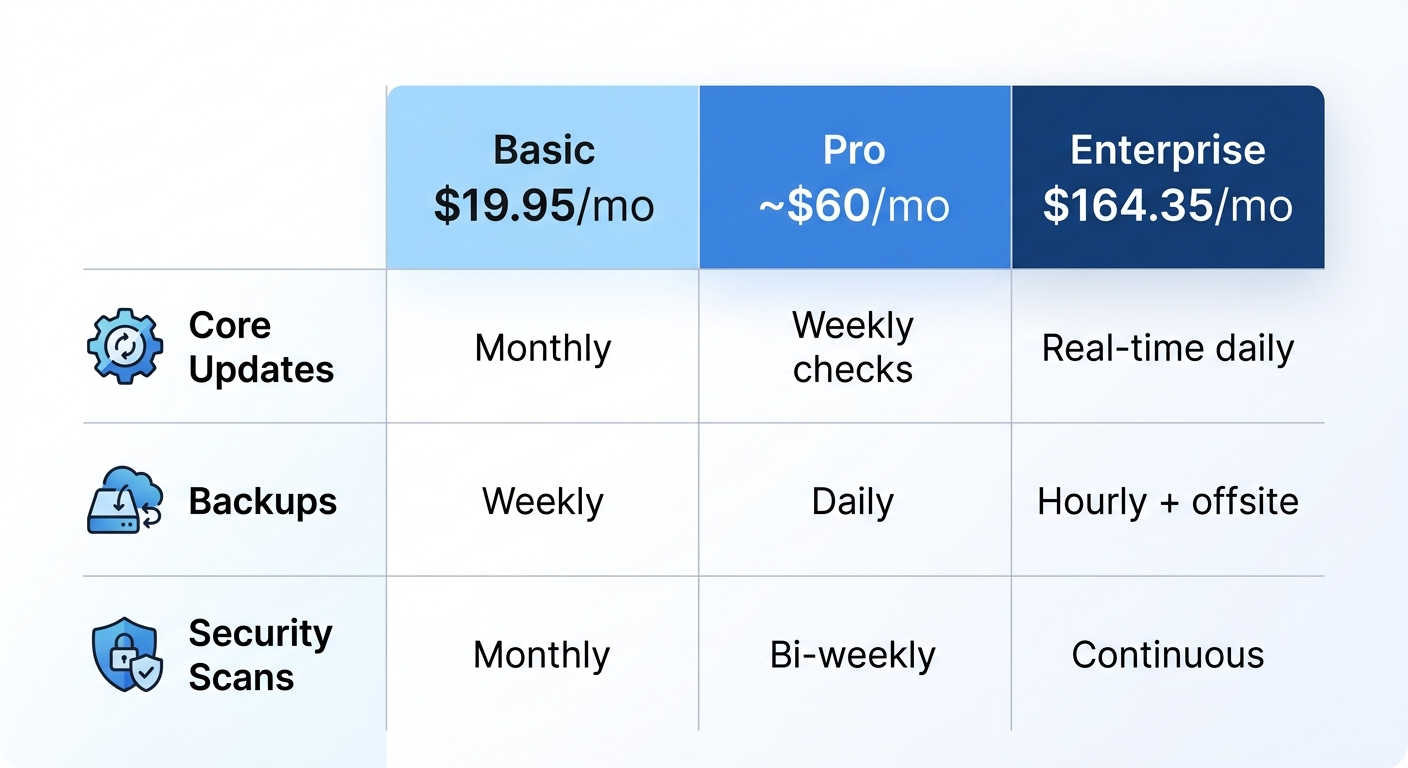
Different website-care plans can provide different levels of updates, backups, security, monitoring, and support.
Managed WordPress Care vs. DIY Maintenance
Some businesses handle website upkeep internally, while others prefer to outsource it to a professional team.
DIY wordpress maintenance may be reasonable for organizations with the technical knowledge, time, and internal processes to manage updates, backups, monitoring, and troubleshooting consistently.
Managed wordpress maintenance is often a better fit for businesses that would rather have an experienced team handle the technical work and provide support when something goes wrong.
| Software Updates | Handled by internal staff | Handled by the service provider |
| Backups | Must be configured and verified internally | Included according to the service plan |
| Monitoring | Requires internal tools and oversight | Managed through provider systems |
| Troubleshooting | Internal team investigates issues | Provider offers technical support |
| Time Commitment | Requires internal staff time | Reduces day-to-day technical burden |
The main advantage of managed wordpress maintenance is not that businesses are incapable of doing the work themselves. It is that the responsibility is assigned to a team whose job is to pay attention to the website.
WordPress Care for London & Southwestern Ontario Businesses
For London businesses, professional wordpress maintenance provides access to a local IGV team that can support both the website and the broader digital presence behind it.
From our London office, we provide wordpress maintenance, website design, Local SEO, hosting, and digital marketing support to businesses throughout London and surrounding Southwestern Ontario communities.
That means a business using IGV for managed website care can also access website development, content, SEO, and other services without having to coordinate unrelated vendors.
Our London location serves businesses throughout London, Sarnia, St. Thomas, Strathroy, Woodstock, and surrounding areas, making ongoing website care part of a broader local support relationship.
Why Choose IGV for WordPress Maintenance?
Proactive Website Care
Our wordpress maintenance approach is proactive. We manage ongoing updates, monitoring, backups, and support instead of waiting for a website to fail before giving it attention.
Managed Hosting Included
IGV's wordpress maintenance is supported by managed hosting, allowing our team to consider the website and hosting environment together.
Security Monitoring & Backups
Security monitoring, malware scanning, and reliable backups are integrated into our wordpress maintenance plans rather than treated as completely separate services.
Routine Website Updates
Our current wordpress maintenance plans include unlimited 15-minute updates for routine website edits, helping clients keep important website information current.
Experienced Support
IGV has been building and supporting websites for more than two decades. That experience gives our managed-support clients access to a team familiar with WordPress development as well as ongoing website care.
Learn more about our managed WordPress maintenance and support services .
Frequently Asked Questions About WordPress Maintenance
What is WordPress maintenance?
wordpress maintenance is the ongoing technical care required to keep a WordPress website updated, monitored, backed up, secure, and functioning properly over time.
Why does my website need ongoing maintenance?
WordPress core, themes, plugins, hosting environments, and third-party integrations continue to change after a site launches. Ongoing website care helps manage those changes and identify issues before they become more disruptive.
How often should WordPress be maintained?
wordpress maintenance should be ongoing rather than treated as a once-a-year task. Different activities may happen on different schedules depending on the website, software, risk level, and service plan.
Does WordPress maintenance include backups?
Backups are an important component of professional wordpress maintenance. IGV's current managed plans include daily cloud backups as part of the service.
Does WordPress maintenance include security?
Security monitoring is part of IGV's managed wordpress maintenance. Depending on the plan, services may also include malware scanning, firewall protection, suspicious-IP blocking, or hack cleanup.
Does WordPress maintenance include hosting?
IGV combines managed hosting with wordpress maintenance, giving our team visibility into both the website and the environment supporting it.
Can WordPress maintenance prevent every problem?
No. wordpress maintenance cannot guarantee that a website will never experience downtime, a plugin conflict, a security issue, or another technical problem. It can, however, reduce avoidable risk and provide a better process for detection and recovery.
Can I handle WordPress maintenance myself?
Yes. Businesses with the necessary time and technical knowledge can manage ongoing site care internally. Managed service is valuable when the organization prefers to assign that responsibility to an experienced team.
How much does WordPress maintenance cost?
The cost of wordpress maintenance depends on the level of hosting, support, security, monitoring, backups, website complexity, and additional services included. Businesses should compare the scope of each plan rather than price alone.
How do I choose a WordPress maintenance provider?
Look for a provider with WordPress experience, clear service expectations, reliable backups, security awareness, proactive monitoring, hosting knowledge, and responsive technical support. The best wordpress maintenance relationship should make it clear who is responsible for the website after launch.
Get Started With WordPress Maintenance in London
Your website should not become a technical distraction from running your business.
Innovative Global Vision provides managed wordpress maintenance for London and Southwestern Ontario businesses that want professional updates, security monitoring, backups, hosting, and ongoing technical support.
If you are currently handling wordpress maintenance yourself, relying on occasional updates, or working with a provider that is slow to respond when something goes wrong, we can review your current setup and help determine the right level of support.
Contact Innovative Global Vision to discuss managed WordPress support for your business and learn more about our managed hosting and support options.
Resources